
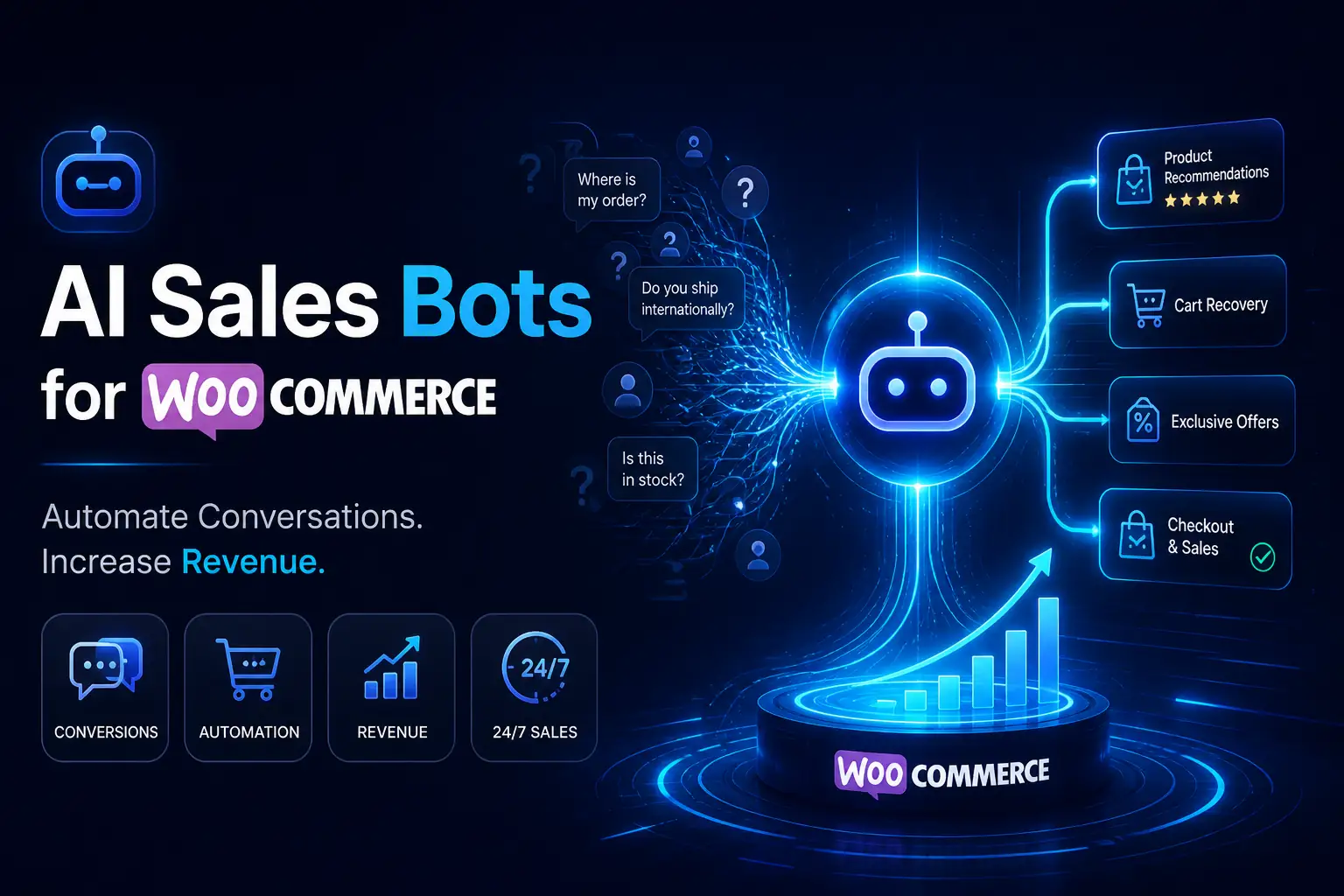
How to Connect WooCommerce with Smart AI Sales Bots to Automate Revenue
To connect an AI sales bot to WooCommerce, you can use a native WordPress plugin or establish a REST API and webhook connection. Choose your AI platform, generate an API key, install the matching integration plugin in WordPress, and map your WooCommerce product data to the bot’s automated workflows. This ensures the bot can read your live inventory and guide the customer journey effectively.
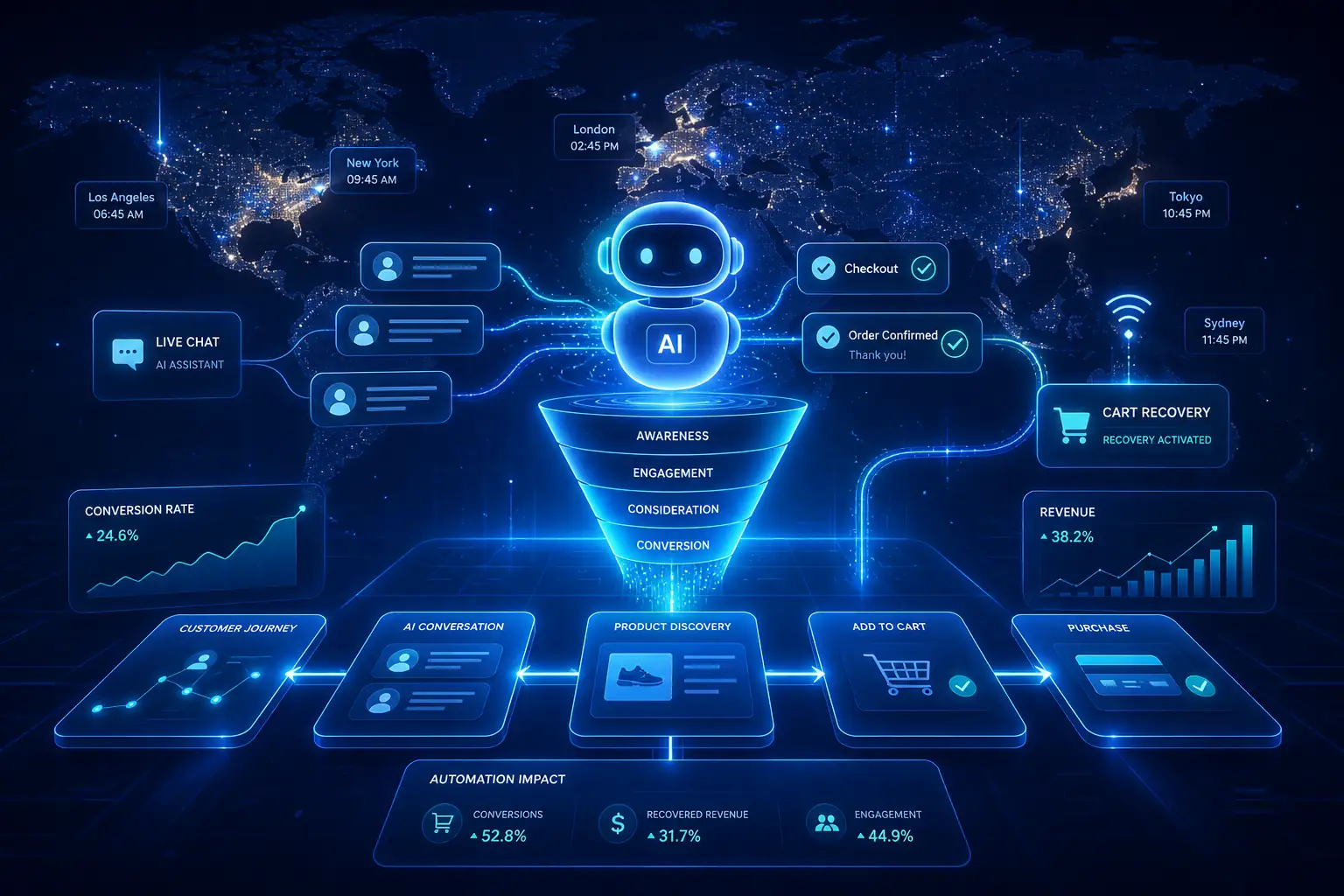
The 24/7 Sales Associate: Why Your Store Needs an AI Bot
Are you losing sleep trying to manage late-night customer questions? Manual customer support can easily lead to burnout, high costs, and missed sales when your team is offline.
Modern e-commerce requires a smarter approach. Today, a proper WooCommerce AI sales bot integration does much more than just answer basic questions. It actively sells, recovers carts, and guides customers to checkout.
In this guide, you will learn exactly how to connect a smart AI bot to your WooCommerce store to automate your sales funnel and boost your passive revenue.
Ready to turn your website into a machine that sells while you sleep? Let’s look at the actual numbers behind this shift.
The Real-World Impact of E-commerce Automation
Every minute a customer waits for an answer, their chance of buying drops. When artificial intelligence steps in, it stops abandoned carts in real-time.
Consider this: studies show that around 95% of online shopping carts are abandoned before checkout. Often, this happens simply because a buyer had a quick question about shipping or sizing.
By using automation, you can scale your customer interactions globally. You can talk to buyers in multiple time zones without increasing your headcount or payroll.
When you automate WooCommerce sales, you fix the core issues that traditional support simply cannot handle.
Why Traditional Customer Support is Breaking Your Store
Why do sales drop when you rely strictly on human support teams? The root causes usually come down to global time zones, slow reply times, and natural human error.
Modern buyers expect instant answers before buying. If your store takes six hours to reply to an email, that customer has already bought from your competitor. It is a proven fact in conversion rate optimization (CRO) that speed wins.
However, many store owners make a massive mistake. They use “dumb” rule-based bots. These old bots force users into rigid menus, frustrating customers instead of helping them.
The secret is using modern bots powered by machine learning and Natural Language Processing (NLP). These smart bots actually understand what the customer is asking. So, how do you set this up?
How to Connect an AI Bot to WooCommerce (Step-by-Step)
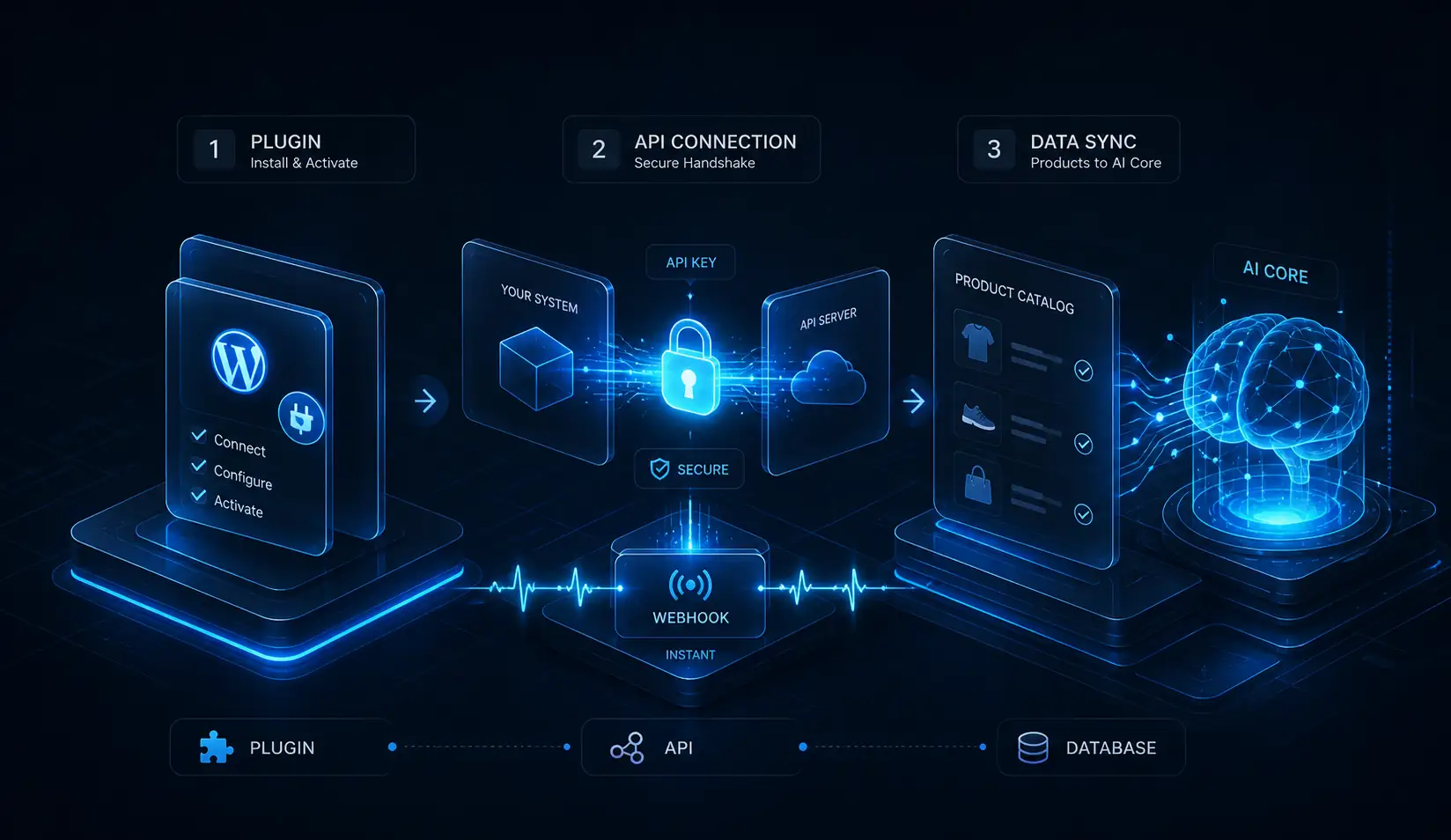
Connecting an AI customer service tool for WooCommerce might sound highly technical, but it breaks down into three manageable steps.
Step 1: Choose Your Integration Method (Plugin vs. API)
You have two main paths to connect your bot. The easiest way is using a native WordPress plugin provided by the bot builder. You simply install it, click connect, and you are ready.
For more advanced stores, you will want a robust REST API or Webhook setup. Think of a webhook as a digital messenger. It instantly tells your bot when a new product is added or an order is placed.
Step 2: Establish the Connection
Once you pick your method, you need to link the two systems. You will generate an Application Programming Interface (API) key from your bot platform.
Copy this key and paste it into your WooCommerce settings or integration plugin. This secure key acts as a digital handshake, allowing your bot to talk to your store safely.
Step 3: Sync Your Product Catalog
This is the most critical step. Your bot must be able to read live inventory and pricing data from your shopping cart.
If you skip this, your bot might accidentally sell an out-of-stock item or quote the wrong price. Ensure your catalog sync is set to update daily or hourly, depending on your sales volume.
With the technical bridge built, it is time to choose the right software for the job.
Top AI Bot Frameworks for WooCommerce Compared
Not all bots are created equal. Finding the best AI sales bot for WooCommerce depends on your budget and technical skills.
-
Dialogflow: Powered by Google. High learning curve, but incredible for complex machine learning setups. Excellent for custom developers.
-
Chatbase: Very easy to set up. You can train it simply by giving it your website link. Great for quick, accurate customer service.
-
ManyChat: Focused heavily on social media and automated workflows. Perfect for connecting Instagram and Facebook traffic directly to your WooCommerce checkout.
Choosing the right tool gives you the foundation. Now, let’s turn that tool into a profit center.
Advanced Strategy: Turning Your Bot into a Sales Engine
A basic bot answers questions. An advanced bot actively generates leads and drives revenue.
You can set up proactive triggers on your site. For example, if a user stays on the checkout page for 60 seconds without buying, the bot can pop up and offer a 5% discount to close the deal.
If you have global traffic, use multi-language setups. A smart bot will detect the user’s browser language and instantly chat in Spanish, French, or German.
Finally, use the bot to collect zero-party data. Have the bot ask customers about their preferences (e.g., “Do you prefer dry or oily skin products?”). Feed this data directly into your Customer Relationship Management (CRM) tool for highly targeted email marketing later.
Want a proven template to run this strategy? Let me share a framework that works.
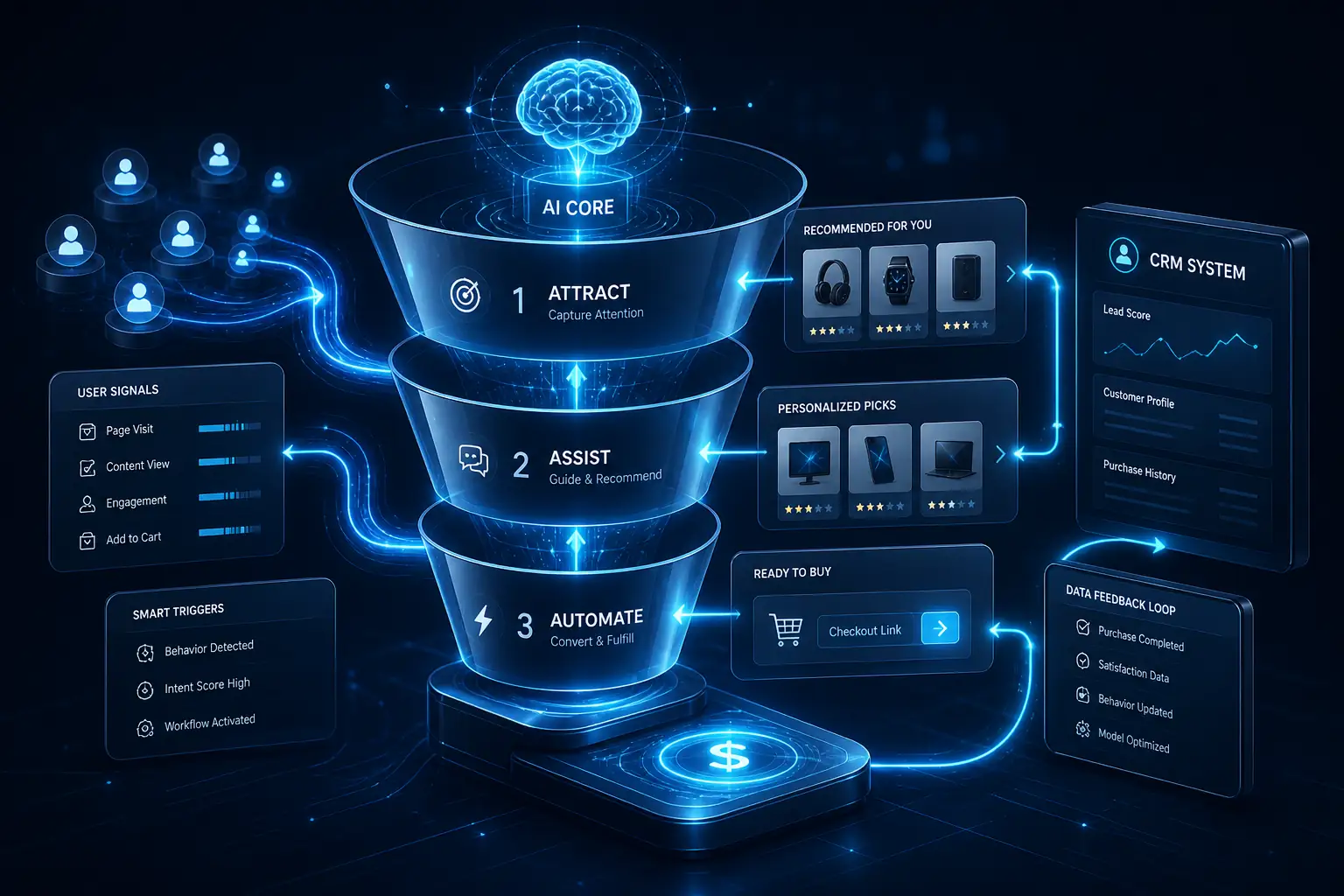
The “Silent Salesman” Framework
In my experience setting up WooCommerce bots for dutch based baby shop, I found that bots fail when they lack a clear goal.
You need a structure. I call it the “Silent Salesman” Framework, and it relies on three simple steps:
-
Attract: Program the bot to recognize and welcome returning customers by name when they log in. Make them feel valued instantly.
-
Assist: Have the bot recommend products based on their specific chat history or past purchases.
-
Automate: Trigger automated checkout links directly inside the chat window. The customer should not have to hunt for the “Add to Cart” button.
When we applied this method, we saw a we saw a 75% increase in conversion rate. But you must watch out for a few common traps along the way.
3 Common Bot Integration Mistakes (And How to Fix Them)
Even the best WooCommerce AI bot integration can fail if set up poorly. Avoid these three common errors.
Error 1: The bot sounds too robotic. Customers hate talking to machines that sound like calculators. Fix: Train the AI on your specific brand voice. Give it a personality, a name, and guidelines on how to speak casually.
Error 2: Dead ends. Nothing kills a customer journey faster than a bot saying, “I don’t understand,” over and over. Fix: Always provide an “escalate to human” option. If the bot gets confused, it should instantly forward the chat to your live support team’s email or helpdesk.
Error 3: Poor inventory syncing. If a customer asks for a red shirt, and the bot says it’s in stock when it isn’t, you ruin trust. Fix: Ensure your API connection checks live stock levels before making any product recommendations.
Fixing these mistakes ensures a smooth experience. So, what does the future hold for this technology?
The Future of WooCommerce Automation
E-commerce automation is moving incredibly fast. The next big wave is voice commerce and predictive AI ordering. Soon, customers will simply speak to their phones, and your bot will build their shopping cart based on their past buying habits.
If you want to stay ahead of your competitors, the time to build your AI foundation is right now.
Ready to stop losing sales while you sleep?
FAQ
Can AI bots actually close sales in WooCommerce?
Yes. Modern AI bots can share direct product links, apply discount codes in the chat, and guide users directly to the checkout page, effectively closing the sale without human help.
Do I need to know how to code to add an AI bot?
No. Most popular AI platforms offer native WordPress plugins. You simply install the plugin, paste your API key, and use a visual drag-and-drop builder to set up your chats.
Will an AI chatbot slow down my WordPress site?
If installed correctly using asynchronous loading, a chatbot will not slow down your site. The heavy processing happens on the AI company’s servers, not your WooCommerce hosting server.
How much does a smart AI bot cost per month?
Costs vary widely. Basic rule-based bots can be free or $15/month. Advanced AI bots powered by machine learning typically range from $40 to $200+ per month depending on your website traffic.
How does the AI bot know my current WooCommerce stock levels?
The bot uses a REST API or webhook connection to communicate directly with your WooCommerce database. When stock changes, WooCommerce sends an instant update to the bot.
Can the bot offer dynamic, user-specific discount codes?
Yes. By integrating your bot with your WooCommerce coupon system via API, the bot can generate unique, one-time-use discount codes to help close a hesitant buyer.
Does AI integration work with WooCommerce Subscriptions?
Yes. Advanced bots can recognize subscription products, answer questions about billing cycles, and even provide links for customers to upgrade or manage their current subscription plans.
How do I track AI bot ROI in Google Analytics 4?
You can track ROI by setting up custom UTM parameters on the links your bot shares. You can also track specific button clicks inside the chat widget using Google Tag Manager.
Why isn’t my bot triggering on the WooCommerce checkout page?
Many WordPress themes or security plugins block third-party scripts on checkout pages for safety. Check your plugin settings to ensure the bot script is permitted to load on the checkout URL.
What do I do if customers say the bot is quoting the wrong prices?
This usually means your catalog sync is outdated. Force a manual sync between your bot platform and WooCommerce. Ensure your API is set to update pricing dynamically, not statically.
How do I fix a Webhook connection failing (Error 500) in WordPress?
An Error 500 often means your server blocked the bot’s request. Check your security plugins (like Wordfence) to ensure the bot’s IP address is whitelisted, and increase your server’s memory limit.
Why is my bot ignoring my store’s multi-language settings?
Your bot needs to be mapped to your specific translation plugin (like WPML or Polylang). Ensure the bot script is set to read the browser language or the specific sub-directory URL of the translated page.
