
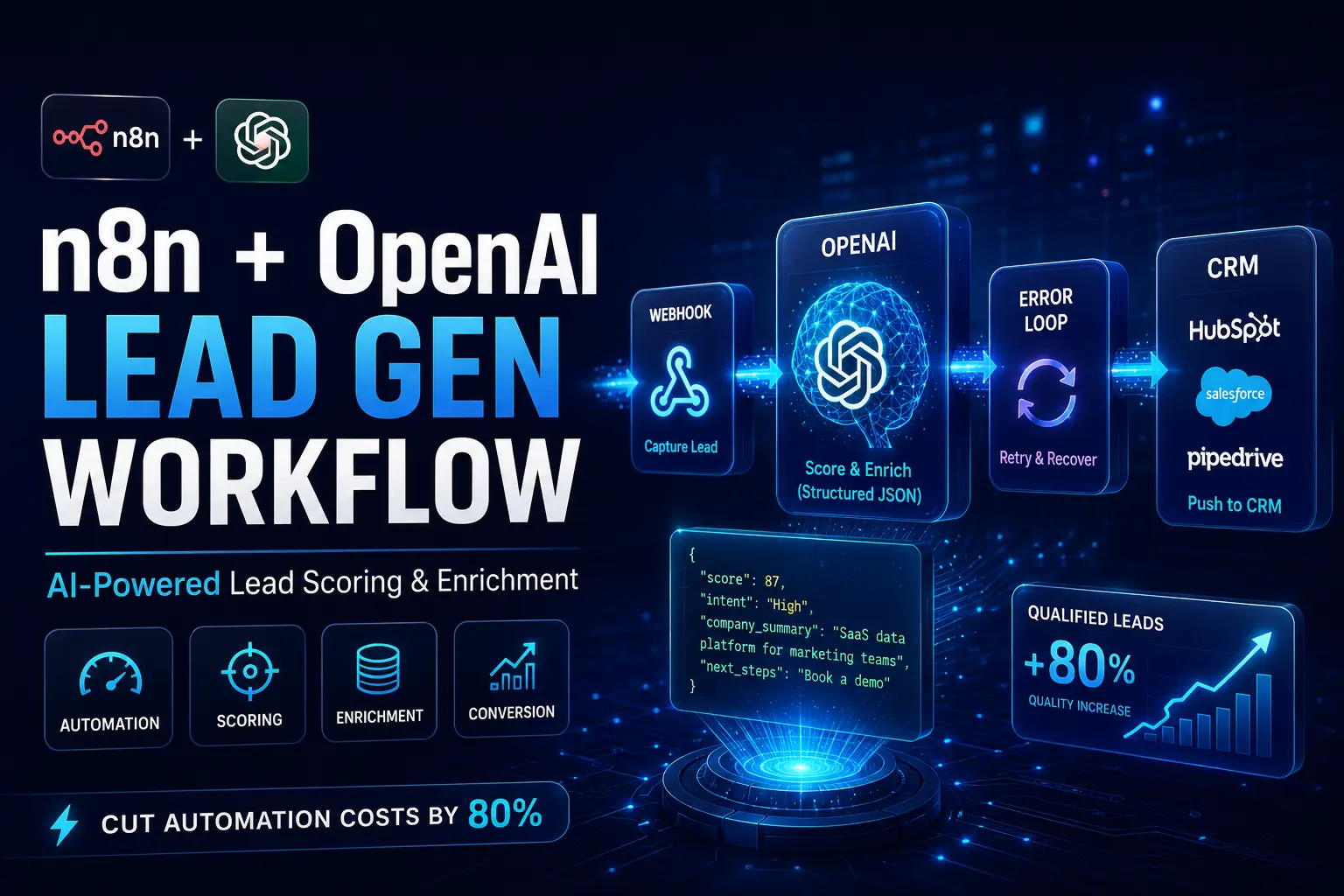
Are you tired of footing massive Zapier bills just to run basic, unpersonalized lead routing?
It is genuinely frustrating to watch your monthly invoice swell every time a new prospect simply moves from a web form to your CRM. But what if you could build a “set-and-forget” engine that autonomously qualifies and enriches leads without draining your budget?
In this guide, we are going to build a modular n8n lead generation workflow paired with OpenAI structured outputs. This exact blueprint turns your raw lead acquisition process into an intelligent, highly scalable RevOps machine.
Why This Matters for Modern RevOps
Moving away from manual lead triage toward AI-driven qualification instantly frees up hundreds of sales hours. Instead of forcing your team to research every single email address that comes in, your automation canvas does the heavy lifting entirely in the background.
Here’s the reality: you have to stop treating all leads equally. By routing your sales team’s focus strictly to high-intent prospects, you boost conversion rates while saving thousands on overpriced SaaS subscriptions.
The Core Problem Deep Dive
Legacy automation tools severely punish complex AI workflows because they charge you per task.
If you want to extract data, score a lead, and properly format the output, traditional platforms hit your wallet for every tiny step. The industry is rapidly shifting away from simple “if-this-then-that” rules toward autonomous, agentic workflows.
A massive mistake most businesses make? Using standard OpenAI prompts that return messy, unpredictable text paragraphs. You absolutely need clean, CRM-ready JSON data to actually automate your RevOps processes without constant manual fixes.
Step-by-Step Solution: The Modular Blueprint
To build an enterprise-grade lead generation engine in n8n using OpenAI, you start by setting up a Webhook node to capture incoming data. You then pass this payload via tight JSON mapping straight to the OpenAI node.
From there, you leverage OpenAI’s function calling to analyze, score, and enrich the prospect before routing that structured output directly to your CRM.
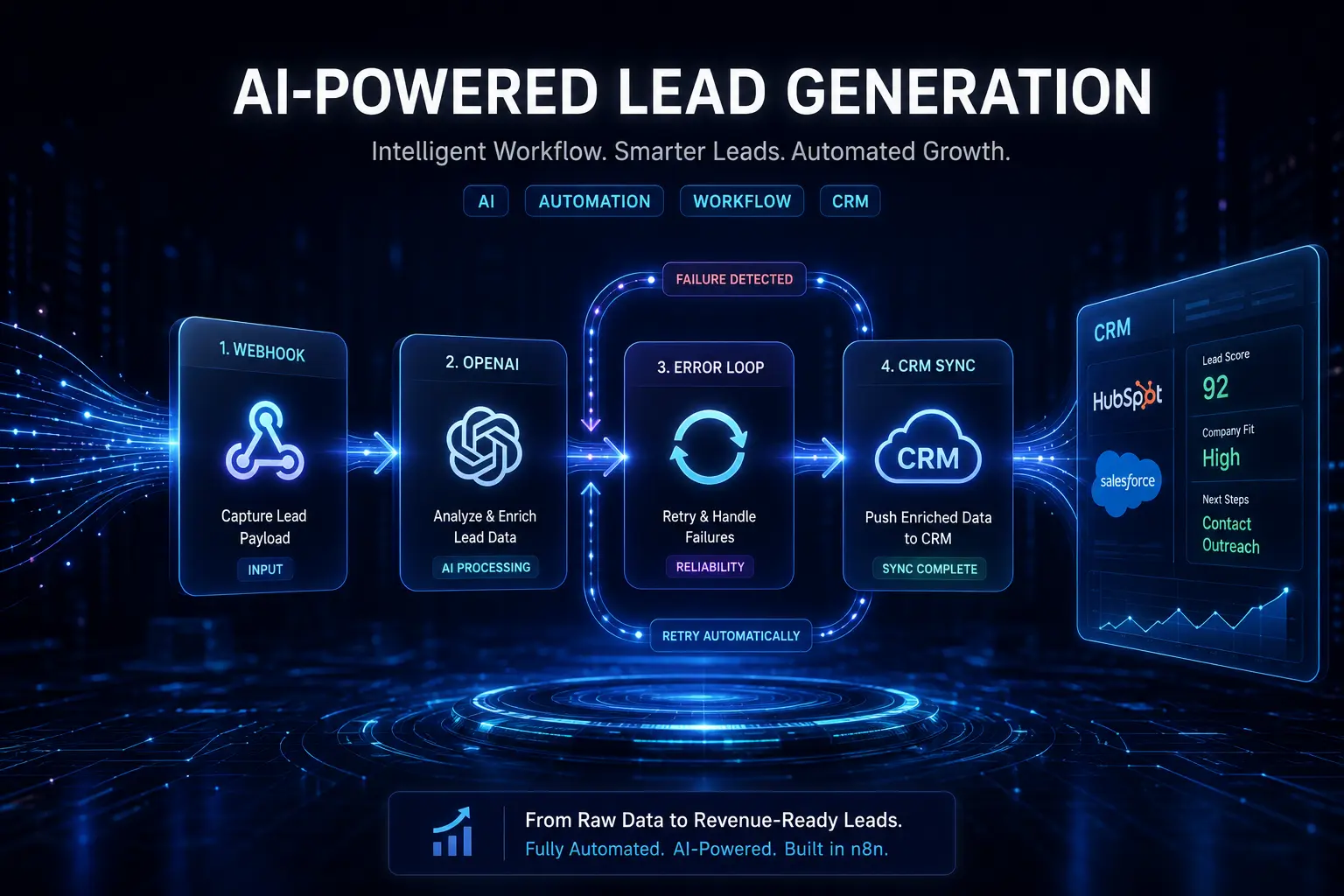
Step 1: Capture the Lead Payload (Webhooks & Forms)
Set up your primary trigger. The entire workflow kicks off by deploying a Webhook node to act as your front door.
Catch raw data safely. When a user submits a form on your website, this webhook catches the HTTP request and securely holds the raw payload.
Step 2: Clean and Route Data via JSON Mapping
Extract only what you actually need. You don’t need to dump the entire bloated form payload to the AI model.
Format variables for AI. Use node logic to strip out just the email, company name, and job title. Clean data drastically helps the AI process information faster and cheaper.
Step 3: Configure OpenAI Function Calling (Structured Outputs)
Move beyond basic text generation. Standard ChatGPT prompts will shatter your automation by spitting back conversational replies.
Write strict JSON schema prompts instead. Use OpenAI function calling to force the AI into returning data in a rigid JSON format. This makes your lead scoring completely system-readable and highly accurate.
Step 4: Build the Error-Handling Loop
Handle API failures preemptively. Let’s be honest, sometimes the OpenAI API times out or throws a badly formatted response.
Build retry logic. You must create strong error handling inside your workflow. If an execution fails, the system should automatically wait a few seconds and try again without you ever having to lift a finger.
Step 5: Push Enriched Data to Your CRM
Map the JSON output exactly where it belongs. Take the structured data generated by OpenAI and map it natively to your CRM fields.
Update custom fields. Push the new lead score, a quick company summary, and suggested next steps straight into Hubspot or Salesforce.
Tools / Platforms / Methods
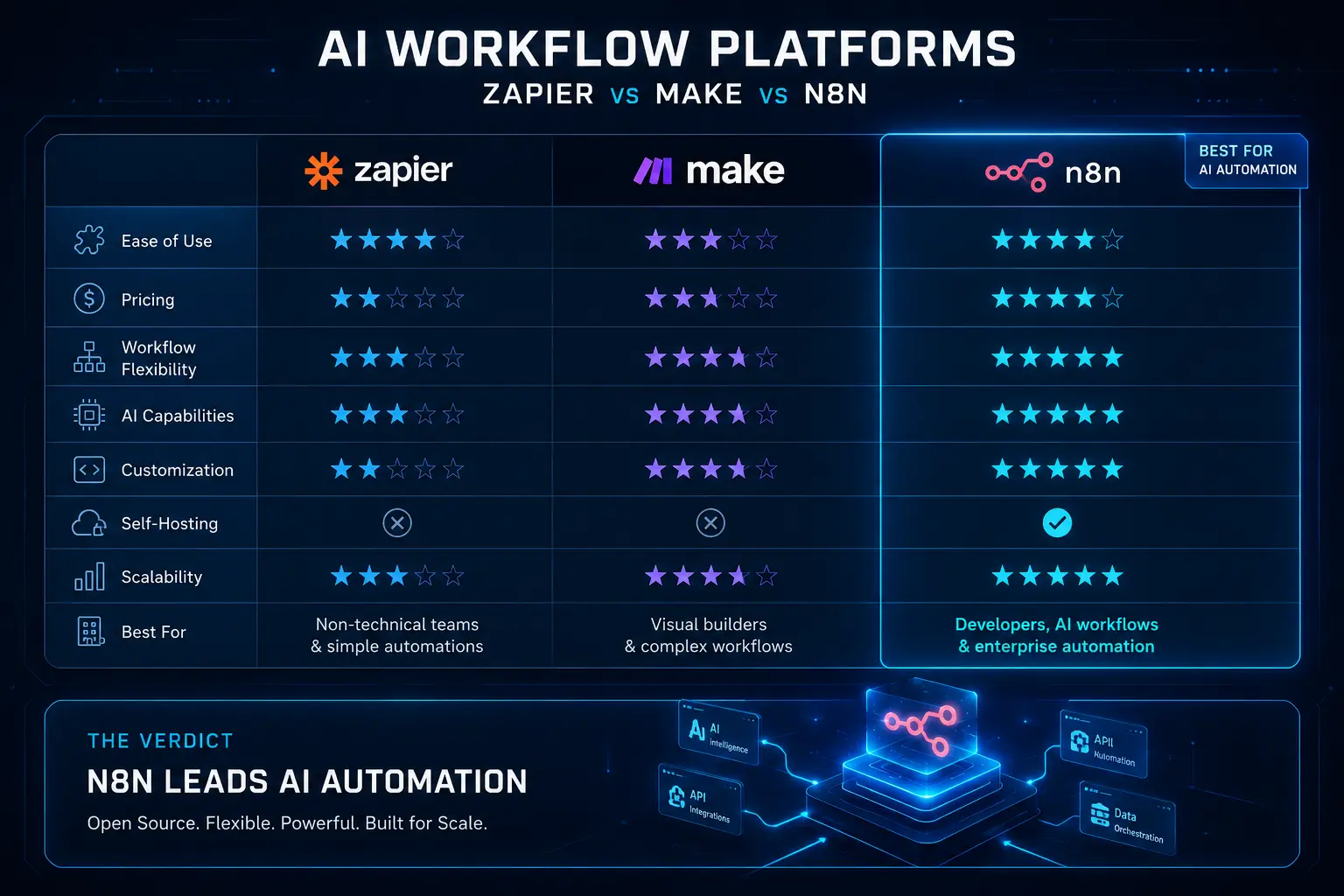
To execute this setup effectively, you only need a handful of specific building blocks. The core nodes powering this blueprint are:
-
Webhook Node: To receive inbound data.
-
HTTP Request Node: To call external APIs if custom routing is needed.
-
OpenAI Node: To analyze and score the prospect.
-
Switch Node: To divert leads down different paths based on their final score.
Advanced Strategy: Prompt Engineering for Lead Scoring
You have to hand OpenAI a strict, hyper-detailed rubric for lead qualification. Tell the model precisely what makes a prospect a perfect “10” versus a total “2” based on specific job titles and company sizes.
To scale this up, look into pairing a vector database like Pinecone alongside n8n. This feeds OpenAI deep context regarding your ideal customer profile (ICP) right before it scores the lead.
An excellent insider trick is to violently strip unnecessary HTML out of the incoming payload before you ever send it to OpenAI. This one simple move drastically slashes your automation costs and token consumption.
Case Study / Real Example Section
Strategy applied: We recently watched an agency implement this exact n8n lead generation workflow integrated with OpenAI to completely eradicate manual SDR research, unlocking 24/7 execution with zero manual bottlenecks.
Result: Cost per lead reduced by 70%, lead response time dropped from hours to 5 minute.
Expert Framework
Having built over 20 workflows, I have found that simplicity is the ultimate key to scale.
I use a highly reliable 3-step system for every enterprise automation build: Capture → Contextualize → Convert.
First, capture the data cleanly. Next, contextualize that raw data using AI. Finally, convert those insights into an actionable CRM update.
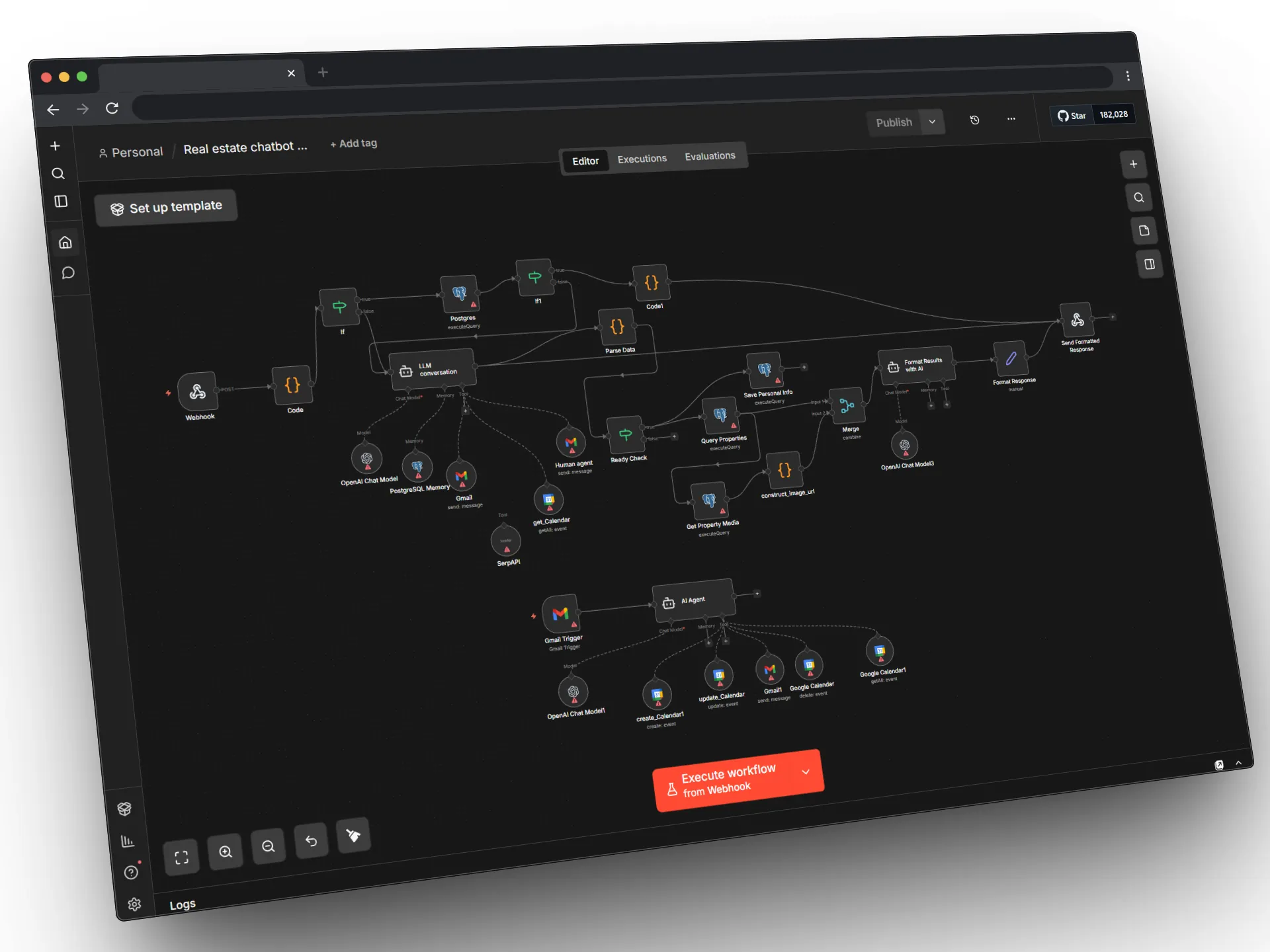
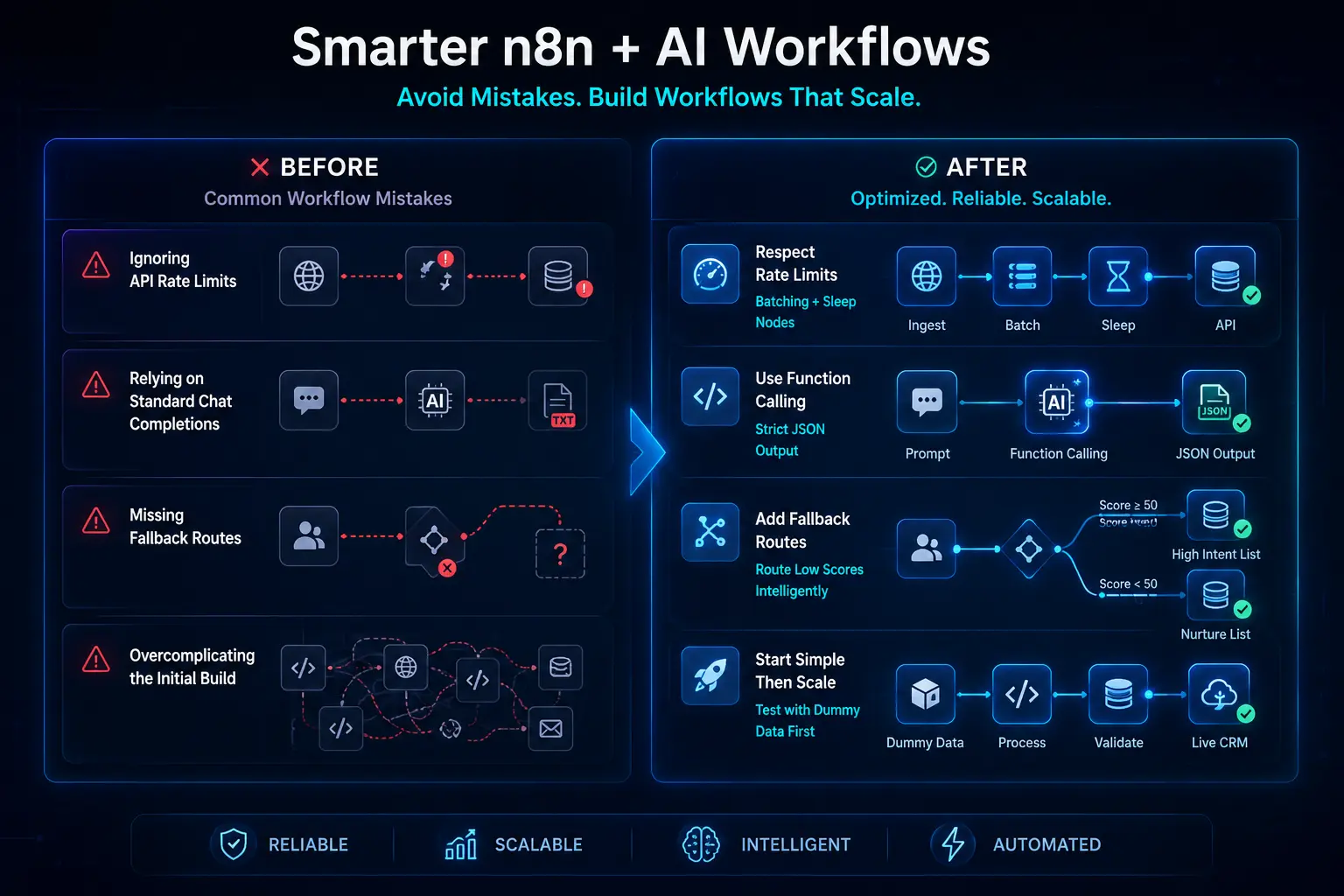
Common Mistakes in n8n + AI Workflows
-
Error 1: Ignoring API rate limits entirely.
-
Fix: Add “Split In Batches” or sleep nodes to throttle the requests.
-
-
Error 2: Relying on standard chat completions instead of function calling.
-
Fix: Force strict JSON output so the returned data is actually usable by a machine.
-
-
Error 3: Missing fallback routes when things go wrong.
-
Fix: Drop in a Switch node to route bad leads (like those with a ‘Score < 50’) to a separate suppression list.
-
-
Error 4: Overcomplicating the initial build.
-
Fix: Test everything heavily with dummy data first before wiring up your live CRM.
-
Future Trends / Strategic Insights
The future of automation is aggressively shifting toward self-hosted, open-source AI models.
Very soon, smart companies will swap out OpenAI for basic routing tasks just to save even more money and tightly protect their proprietary data. We are already seeing AI agents negotiating meeting times directly inside the n8n flow.
There is a massive opportunity sitting right here. Early adopters who master n8n and autonomous AI lead qualification logic are going to command wildly higher consulting rates than basic Zapier specialists.
Action Plan / Implementation Guide
Here is your rapid-deployment checklist to get moving today:
-
[ ] Install n8n (Desktop app or Cloud version).
-
[ ] Generate your OpenAI API Key.
-
[ ] Connect your target CRM like hubspot using n8n credentials.
Your priority is to build the skeleton first. Test how to map JSON in n8n using static data, and only activate the AI nodes once that mapping is completely flawless.
Conclusion
Transitioning to an n8n lead generation workflow powered by OpenAI is the ultimate hack for business scalability.
It arms you with enterprise-grade B2B lead enrichment without the bloated enterprise price tag. By owning your automation canvas, you take total control of your RevOps.
Ready to map your first node? Create your own custom n8n workflow now.
FAQ about n8n lead generation workflow
What is n8n?
It’s a highly advanced, node-based workflow automation tool. It lets you wire together different apps and APIs to automate complex tasks, offering both convenient cloud hosting and much cheaper self-hosted options.
Do I need coding skills to use n8n?
Absolutely not. You don’t need to be a software developer to thrive here. While a basic grasp of JSON and APIs certainly helps, n8n relies on a visual drag-and-drop interface for mapping out workflows.
How much does n8n cost compared to Zapier?
It is significantly cheaper, especially when you hit high-volume API tasks. Unlike Zapier, which taxes you for every single step, n8n charges based on overall workflow executions or it’s entirely free if you choose to self-host it.
Can I use ChatGPT inside n8n?
Yes, you can. You can easily plug the OpenAI API into n8n to analyze text, score incoming leads, or even draft hyper-personalized outbound emails directly inside your automated workflows.
What is a webhook in lead generation?
Think of a webhook as a way for one app to toss real-time information to another. In lead gen, it instantly catches your website form submissions the second they happen and fires them straight to your automation tool.
How does OpenAI score B2B leads?
The model scores leads by analyzing the raw prospect data against a specific prompt you build. It weighs elements like job titles, company size, and industry against your ideal customer profile and assigns a hard numerical value.
What are structured outputs in OpenAI?
Structured outputs simply force the AI to return its answers in a highly specific, rigid format, like JSON. This guarantees your CRM can actually read, map, and process the AI’s response without breaking.
How do I map JSON data in an n8n workflow?
You handle mapping by literally dragging lines between nodes and picking specific data fields from your previous steps. n8n’s visual mapper lets you cleanly pull variables like “email” or “first name” without writing custom code.
Which CRM platforms integrate with n8n?
It integrates natively with the heavy hitters like HubSpot, Salesforce, Pipedrive, and Zoho. But even if your CRM isn’t listed natively, you can connect to practically any modern system using a standard HTTP Request node.
How do I pass a website form submission to n8n?
You drop a Webhook node into your n8n canvas to generate a unique listener URL. Then, you just paste that specific URL right into your website form’s “Webhook” or “Post URL” configuration settings.
How do I fix “Invalid JSON” errors from the OpenAI node?
The permanent fix is utilizing OpenAI’s Function Calling or Structured Outputs feature. This explicitly commands the LLM to only return valid JSON, stopping chatty conversational text from destroying your data flow.
What is the best way to handle API rate limits in n8n?
The smartest approach is deploying “Wait” or “Sleep” nodes to physically pause the workflow between heavy API requests. Alternatively, you can use “Split in Batches” nodes to slowly trickle-process massive lists.
How do I build a retry loop for failed executions?
You can lean on n8n’s built-in “On Error” node settings to retry a broken step automatically. If you want more granular control, you can build a custom error-handling loop utilizing Switch and Wait nodes.
Can I use custom AI models instead of OpenAI in n8n?
You absolutely can. Because n8n supports raw HTTP requests, you can easily wire it up to local or open-source models like Llama or Mistral via APIs like Ollama or Hugging Face.
How do I secure lead data in a self-hosted n8n instance?
You lock down your data by hosting n8n on a secure private server, installing active SSL certificates, enforcing brutal passwords, and restricting webhook access strictly to whitelisted IP addresses. This is a massive advantage for strict GDPR compliance.
