
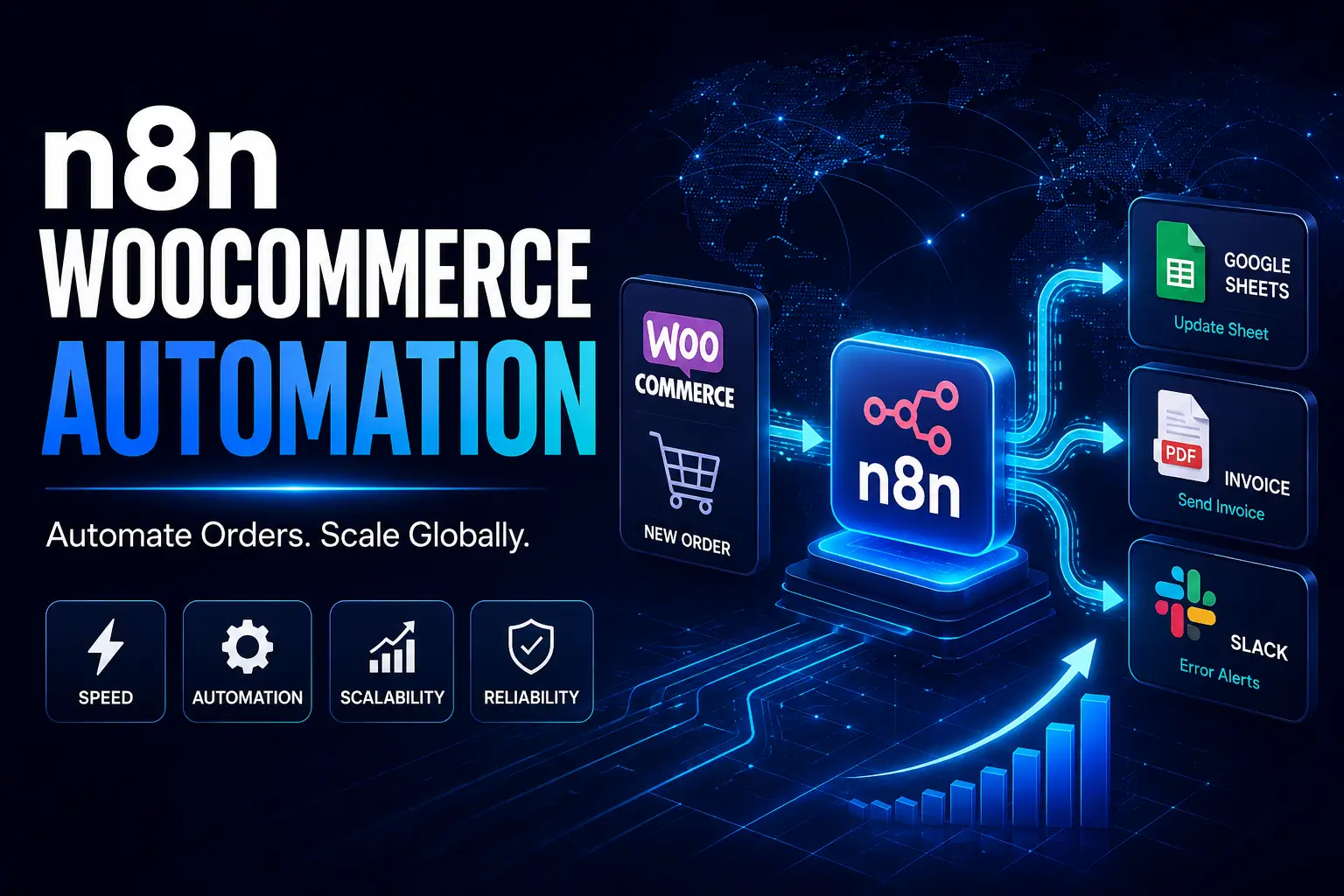
Every time your e-commerce store gets a new order, your monthly automation bill shouldn’t increase. Right now, a shocking number of stores are bleeding money on monthly SaaS fees from tools like Zapier or Make. As your global order volume grows, you’re literally being penalized for your success through strict task limits.
What if you could build a genuinely enterprise-grade system for a fraction of the cost? In this guide, we’ll break down the exact steps to build a bulletproof n8n woocommerce automation setup. You’ll learn exactly how to connect n8n to your store and automate your entire order management pipeline. By the time we’re done, you’ll know how to save time, eliminate costly manual bottlenecks, and slash your software expenses permanently.
Why This Matters
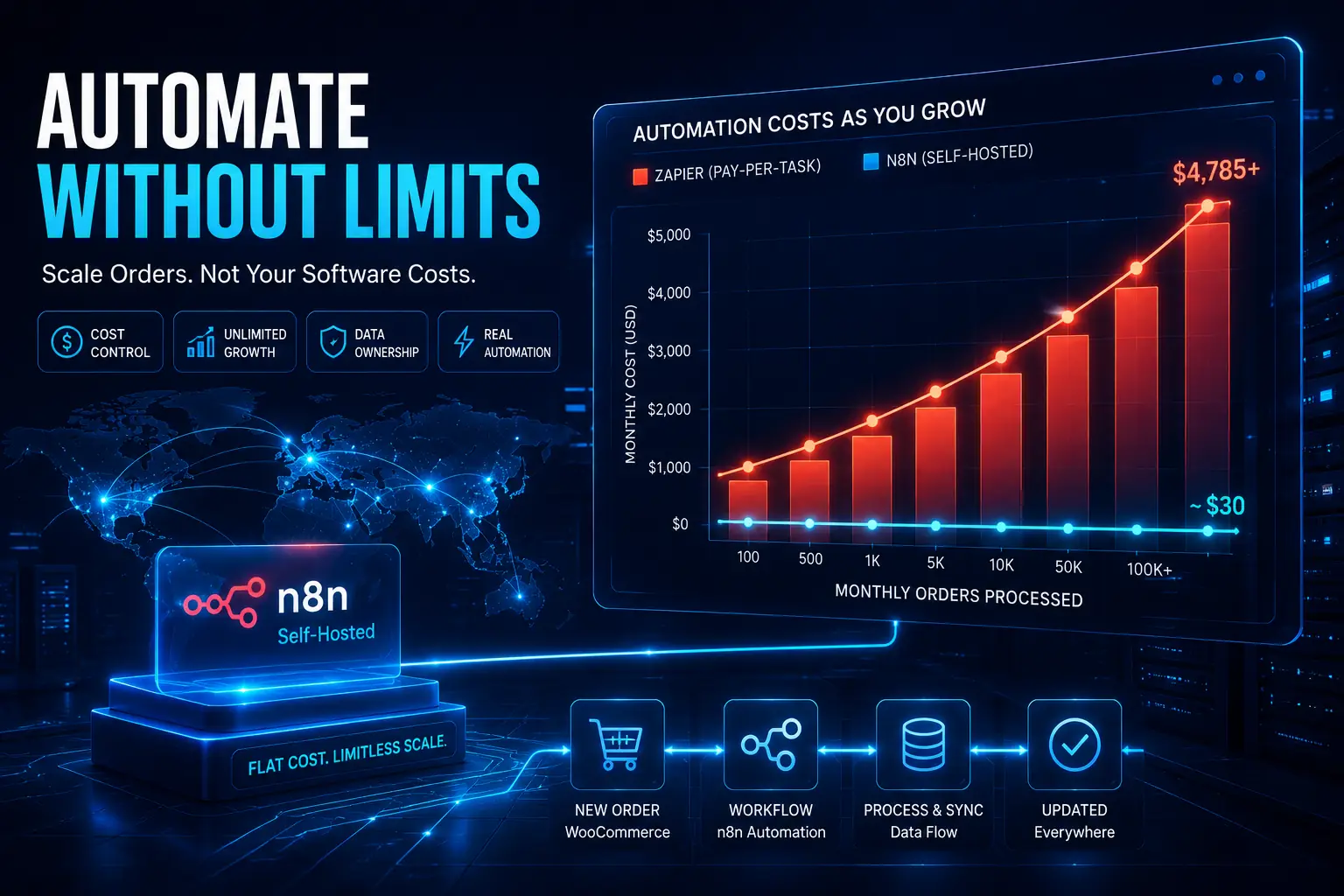
Moving from overpriced cloud automation to a self-hosted system fundamentally changes your profit margins. Here’s the thing. When you pay per task, a simple order process might chew up five tasks. If you’re processing hundreds of orders daily across the globe, those micro-charges absolutely destroy your profits.
Look at the real numbers. Small businesses routinely overpay for simple data transfers. Stop punishing your own growth. You should never pay a tax on every single order you process.
Open-source automation lets you take back control of your data and your budget. Switch to a self-hosted setup, and your costs stay flat whether you process ten orders a week or ten thousand a day.
Core Problem Deep Dive: Manual Workflows Kill Growth
Manual workflows are the silent killer of global e-commerce scaling. Disconnected systems create pure chaos. When your sales platform, shipping software, and accounting tools refuse to talk to each other, humans have to bridge the gap.
The hidden cost of manual data entry errors is massive. A single mistyped shipping address or delayed inventory sync leads straight to angry customers and expensive refunds.
Why does this still happen in 2026? Because owners try to fix it with plugins. This is a common, dangerous mistake. Relying on basic plugins bloats your WordPress site, wrecks your page speed, and ruins the shopping experience.
Instead of loading up on heavy plugins, smart operators use external Webhook API triggers. This offloads the heavy lifting from your local server to an external AI agent or automation tool, keeping your storefront lightning fast.
Step-by-Step Solution: The Ultimate Order Workflow Blueprint
Building a seamless n8n woocommerce automation is actually easier than you think. Let’s get into the weeds.
Step 1: Setting up Webhook Listeners & REST API Authentication
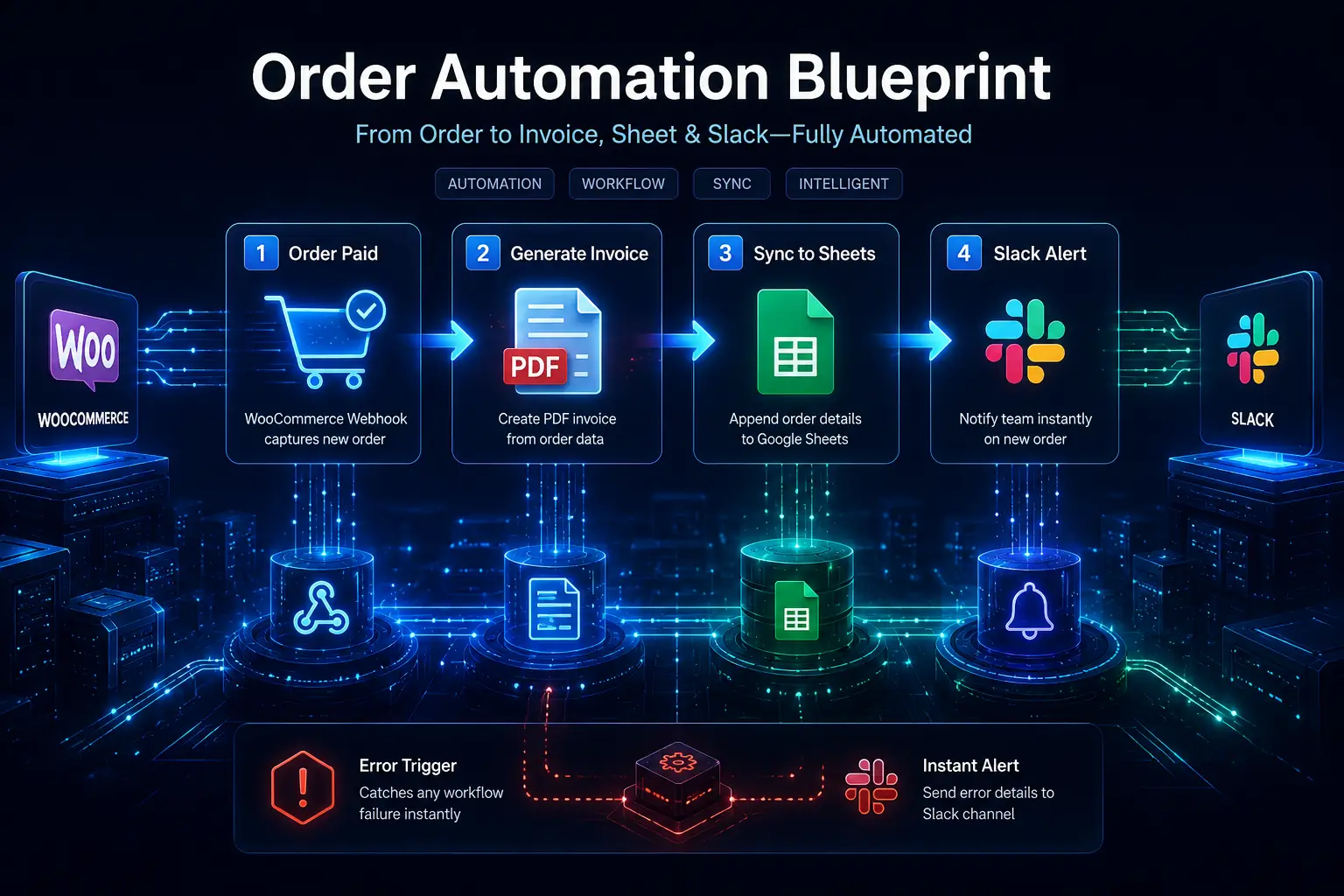
Your first move is getting WooCommerce and n8n talking securely. Start by generating your keys. Jump into your WooCommerce settings, head to Advanced, and create fresh REST API keys. Give them read/write permissions.
Now, create the trigger. In your n8n canvas, drag in a Webhook node. This acts as the “listener” waiting for your store to fire over information. Grab the URL provided by that webhook node and paste it straight into your WooCommerce webhook settings under “Order Created.”
Step 2: JSON Data Mapping for WooCommerce Orders
When WooCommerce fires off an order, it arrives as structured JSON data payloads. (JavaScript Object Notation). Think of JSON as a highly organized digital filing cabinet. You just need to pull out the right folders. You’ll want to extract the customer name, SKU, and total price from this data payload.
Map the data cleanly. n8n gives you a visual interface where you literally drag and drop these data points. Using some basic expressions, you route the billing_first_name directly into the next step of your workflow, no heavy coding required.
Step 3: Routing to Google Sheets & Generating Invoices
Now that n8n holds the order data, we have to route it. First, track your inventory. Add a Google Workspace node using the Google Sheets API integration. to your workflow. Configure it to append a new row to your Google Sheets the second an order drops. This gives your team a real-time, zero-friction view of daily sales and stock.
Next, automate the paperwork. Trigger a PDF invoice generation tool. n8n takes the order data, injects it into a template, and fires the final invoice directly to the customer’s inbox.
Step 4: Building Resilient Error-Handling Nodes (Advanced Depth)
Basic automations break the minute things go wrong. Professional autonomous workflows adapt. Catch failures early. n8n packs a serious feature called the “Error Trigger” node. If any step in your primary workflow stalls, like an API timing out, this node catches the fault.
Set up instant alerts. Configure that Error Trigger to send an instant alert through the Slack API. straight to your ops manager. You end up fixing a missing order issue before the customer even realizes something slipped.
Tools Comparison: n8n vs. Zapier vs. Make
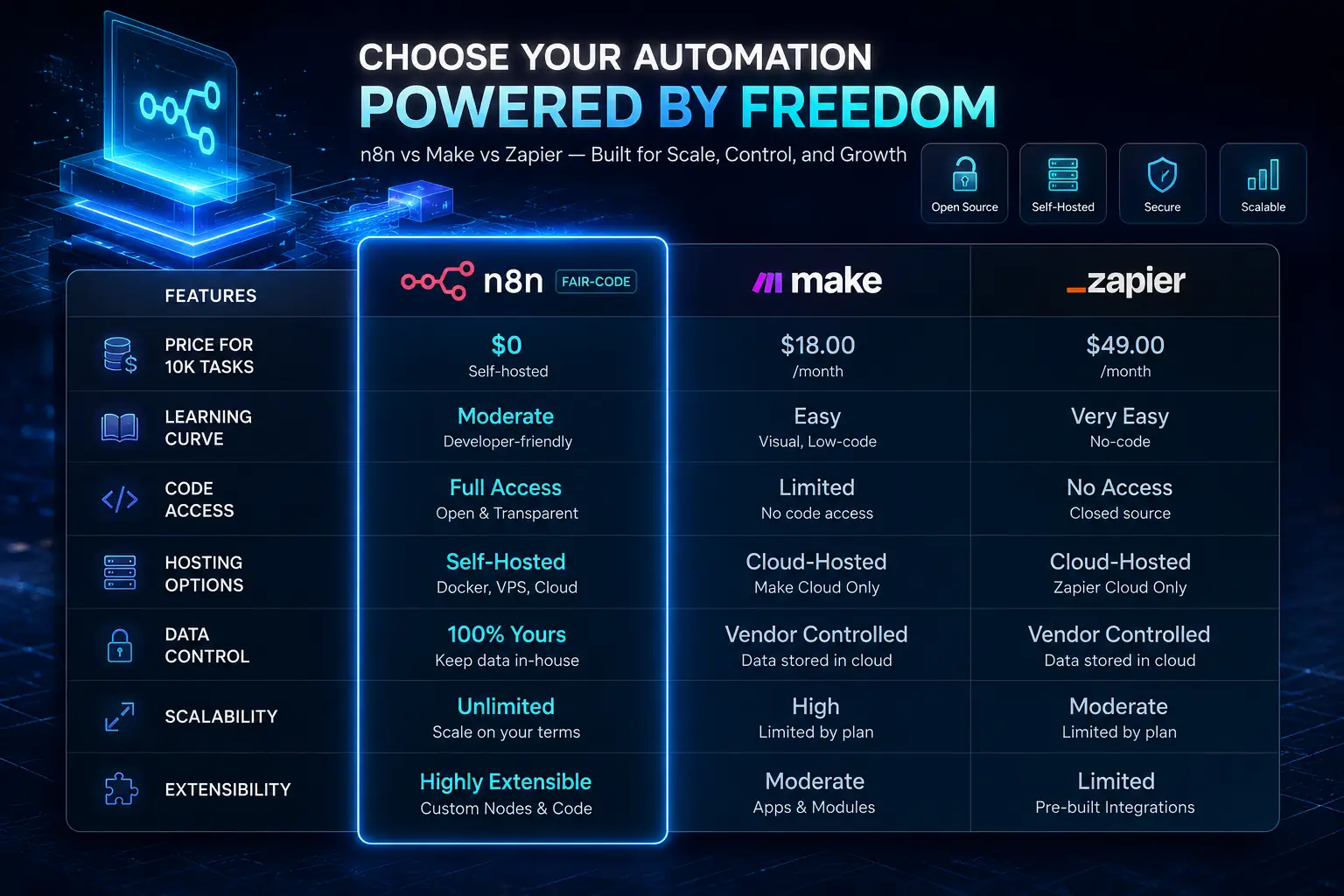
Choosing the right tool ultimately comes down to cost, flexibility, and raw ownership. Cloud SaaS tools are heavily pushed, but they become wildly expensive at scale. Let’s look at the reality for an average e-commerce setup.
| Feature | n8n (Self-Hosted) | Zapier | Make |
| Price (10k tasks) | Server cost only (~$5-$20/mo) | Over $100/mo | ~$19/mo |
| Learning Curve | Medium to High | Low | Medium |
| Hosting Options | Cloud or Self-Hosted | Cloud only | Cloud or Enterprise |
| Pricing Model | Workflow-based (unlimited steps) | Pay per task | Pay per operation |
Look closely at the code licensing. n8n runs on a fair-code open-source model. That means you can inspect the code, host it on your own enterprise-grade servers, and lock down your customer data entirely in-house.
Advanced Strategy: Scaling Your Automations
As your store explodes in growth, your workflows will naturally get more complex. You have to keep them disciplined. Keep your canvas clean by using sub-workflows in n8n. Instead of stringing together one massive, chaotic web of nodes, break them down. Build one primary workflow that triggers smaller, dedicated workflows for shipping, billing, and system alerts.
Maximize your performance. Processing thousands of orders can choke standard hosting. Moving to Docker-based self-hosting gives you absolute control over server resources and execution speed.
Protect your storefront. A massive wave of orders can easily crash your site if you aren’t prepared. Batch your API requests inside n8n to avoid hammering your WooCommerce server during a major sales event.
Case Study: Automating 1,000 Orders a Day
Real businesses are using this exact blueprint to salvage their margins right now.
Take a recent store pushing over a thousand orders daily. Their ops team was literally copying and pasting addresses manually. The result? Delayed shipping, wrecked profit margins, and angry customers.
They needed a serious fix. We implemented the modular n8n woocommerce automation blueprint we just outlined. They ripped out their expensive monthly SaaS platforms.
The results were instant. The team shifted focus to marketing instead of mind-numbing data entry, finally running a true 24/7 execution engine.
Expert Framework (E-E-A-T SAFE)
Automation isn’t just about duct-taping apps together; it’s about engineering reliable systems. To prevent costly failures, we lean on a rigid 3-step system: Trigger, Transform, Transmit.
-
Trigger: Securely catch the WooCommerce order using a high-speed webhook.
-
Transform: Clean and map that JSON data so it perfectly aligns with your destination tools.
-
Transmit: Fire the data to Google Sheets or Slack safely, with hard error fallbacks already in place.
Common Webhook & API Mistakes
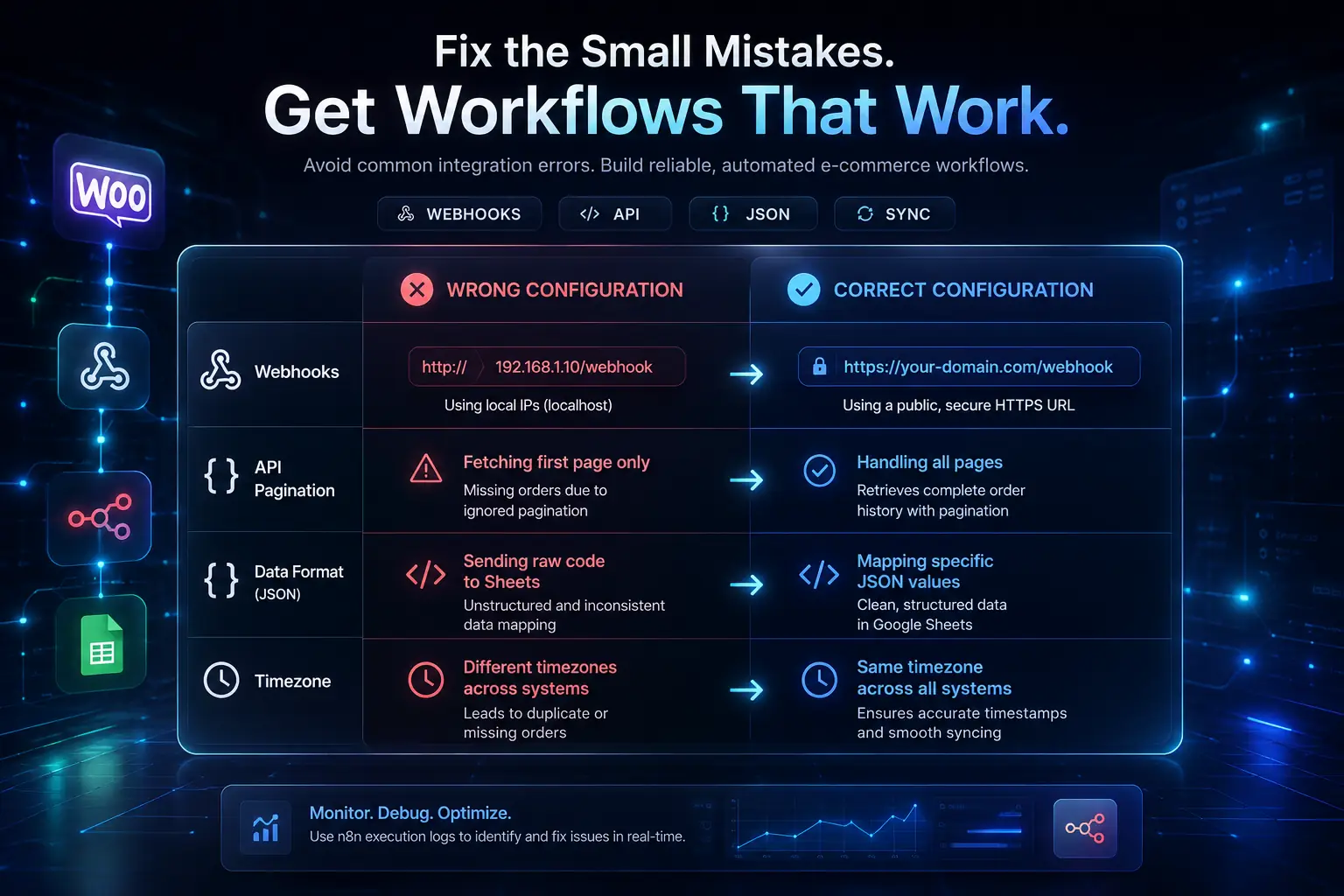
Even senior developers botch this when setting up e-commerce workflows. Watch your back for these four major errors:
-
Incorrect webhook URLs: Always double-check that your n8n URL is copied flawlessly into WooCommerce.
-
Ignoring API pagination: Fetching historical orders? You absolutely must handle pagination, or you will drop data.
-
Unhandled JSON structures: WooCommerce data mutates based on the product type. Always use fallback expressions in n8n.
-
Timezone mismatches: Lock your server, WordPress, and n8n to the identical timezone to kill syncing bugs.
Fix issues fast. If a webhook drops, dive into the execution logs within the n8n UI. It tells you exactly which node choked and why.
| Scenario | Wrong Configuration | Correct Configuration |
| Webhooks | Using local IPs (localhost) | Using a public, secure HTTPS URL |
| Data Format | Sending raw code to Sheets | Mapping specific JSON values |
Future Trends: E-commerce Automation in 2026+
The digital e-commerce landscape is shifting fast. Automation is getting ruthlessly smart. AI agents are taking over workflows. In the near future, we’ll see deep LLM integration directly baked into n8n nodes. You’ll be able to analyze order fraud autonomously before a human even glances at the purchase.
Build your technical moat today. Early adopters who master self-hosted n8n right now secure a massive advantage. While your competitors bleed out from rising SaaS fees, your store will scale efficiently and profitably.
Action Plan & Implementation Guide
Ready to kill those high automation fees? Here is exactly how you start today. Run through this quick-start checklist:
-
Install n8n via their cloud offering or self-host via Docker.
-
Generate your WooCommerce REST API Keys from your WordPress dashboard.
-
Copy our pre-built workflow template straight into your n8n canvas.
-
Push a test order in WooCommerce to watch the data actually flow.
Always protect your live store. Never test complex new workflows on your production site. Always build and verify your automations in a staging environment to stop yourself from firing accidental emails to real customers.
Conclusion & Next Steps
Pulling the trigger on an n8n woocommerce automation setup is arguably the smartest financial move an e-commerce operator can make. By leveraging webhooks, JSON mapping, and Google Workspace integrations, you completely eradicate manual tasks. More importantly, self-hosting means you permanently escape the trap of paying per-task SaaS fees.
Stop burning time on manual order management. Start scaling your global store the right way. Ready to move fast? Make your own custom n8n WooCommerce Workflow by ai agent development services.
Some helpfull links for you :
WordPress REST API , OAuth 2.0 , Webhook architecture
FAQ About n8n WooCommerce Automation
What is n8n and how does it work?
n8n is an advanced workflow automation tool designed to bridge different apps and APIs. It relies on visual nodes to pass data from a trigger (like a fresh store order) to an action (like firing an email), letting you automate repetitive tasks without writing heavy code.
Does n8n connect with WooCommerce natively?
Yes, n8n handles WooCommerce effortlessly. You can deploy standard Webhook nodes to catch instant updates from your store, or use dedicated HTTP Request nodes to query the WooCommerce REST API directly.
Do I need to know coding to use n8n?
No, you don’t have to be a software engineer. n8n provides a highly visual, drag-and-drop interface. While basic knowledge of JSON and APIs gives you an edge for advanced setups, you can build incredibly powerful workflows using simple visual mapping.
What is a Webhook in WooCommerce?
A webhook is simply an automated payload sent from WooCommerce to another application when an event fires. For example, when a customer completes a payment, the webhook instantly blasts the order details to your automation platform in real-time.
Is n8n completely free to use?
Self-hosting n8n is free, though you’ll cover your own server costs (usually a few bucks a month). They do offer a paid cloud-hosted tier if you’d rather not manage your own server infrastructure.
How do I authenticate the WooCommerce API in n8n?
To authorize the WooCommerce API inside n8n, generate API keys in your WooCommerce settings under “Advanced”. Next, jump into n8n, add a new credential, choose “Basic Auth” or “Header Auth”, and drop in your Consumer Key and Consumer Secret.
Can n8n update WooCommerce order statuses?
Absolutely. You can force n8n to send a PUT request back into the WooCommerce API. This lets you autonomously flip an order status from “Processing” to “Completed” the second a shipping label is generated in a completely different app.
How do I map JSON data from a WooCommerce order?
Inside n8n, click on the node catching the data. You’ll spot the incoming JSON payload sitting on the left side of your screen. Simply drag and drop those desired fields (like the customer’s email or order total) straight into the input fields of your next action node.
Can I connect WooCommerce to Google Sheets using n8n?
Yes. You grab a WooCommerce order via a webhook, strip out the specific customer details, and deploy the Google Sheets node in n8n to autonomously append a new row for every single transaction.
How does n8n compare to Zapier for e-commerce?
n8n is drastically more cost-effective for high-volume e-commerce operations. While Zapier taxes you based on how many tasks you burn through every month, self-hosted n8n gives you unlimited task executions for nothing more than the cost of your server.
Why is my n8n webhook not receiving WooCommerce data?
This usually drops when your webhook URL is pasted incorrectly into WooCommerce, or if your n8n instance is walling off external connections. Check your server firewall settings and make sure your n8n URL is fully exposed via HTTPS.
How do I build an error-handling workflow in n8n?
You build an error-handling net by dropping an “Error Trigger” node onto a new canvas. If your primary workflow shatters, this node fires automatically, routing the exact error details to an admin via Slack or email.
Can I run self-hosted n8n on Docker for my store?
Yes, running n8n via Docker is the gold standard for self-hosting. It delivers a highly stable, isolated environment that’s extremely easy to update and scale as your WooCommerce store chews through more daily volume.
How do I handle pagination when fetching WooCommerce orders via API?
When pulling a massive list of orders, WooCommerce caps the results per page. Inside n8n, you leverage a Loop node paired with an HTTP request node. Configure the workflow to dynamically bump the page number parameter until the API returns empty.
What are the best practices to secure n8n webhooks?
Always lock down your n8n instance over HTTPS. Beyond that, inject a secret header token into your WooCommerce webhook settings, and tell your n8n webhook node to reject any data unless that exact secret token is present.
